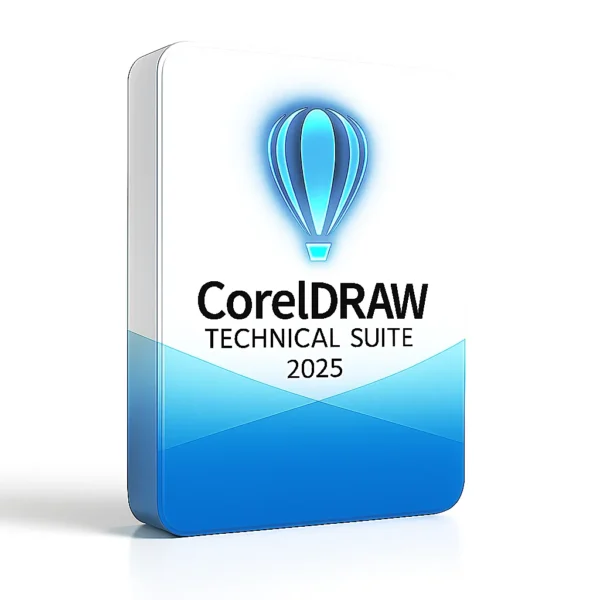
What is CorelDRAW Technical Suite 2025
CorelDRAW Technical Suite 2025 is a comprehensive software bundle designed for professionals working in technical illustration, documentation, engineering graphics, manufacturing, architecture and related fields. The suite combines vector-illustration and page-layout capabilities (via CorelDRAW), photo-editing (via Corel PHOTO‑PAINT), screen capture, font management and a specialist application for technical illustration (Corel DESIGNER). coreldraw.com+1
It supports import/export of 2D/3D CAD data, supports technical-publication formats and is targeted at workflows requiring exact dimensions, call-outs, isometric views, complex diagrams, manuals, spare-parts illustrations etc. designshop.hu+1
Key Components & Applications Included
Here are the major applications and tools that come bundled in Technical Suite 2025:
-
Corel DESIGNER – a specialist tool for technical illustration and drafting (isometric drawing, exploded views, parts diagrams) built for high precision. coreldraw.com
-
CorelDRAW – the general vector-graphic illustration and page layout application, allowing you to design illustrations, diagrams, documentation pages, marketing collateral etc. coreldraw.com
-
Corel PHOTO-PAINT – an image/bitmap editor integrated into the workflow (for editing photos that accompany technical documentation, e.g., product photos, wireframe overlays etc.). coreldraw.com
-
CAPTURE – a screen capture utility to grab screen-images, windows, menus—useful for documenting software workflows, QA, manuals. coreldraw.com
-
Corel Font Manager – a tool for managing fonts, browsing libraries without installing them directly, helpful when working with many symbol-fonts or technical font sets. coreldraw.com
-
Additional content: Large libraries of technical symbols (e.g., architectural, mechanical), standards-compliant templates (ANSI, DIN, ISO), clip-arts, fonts etc. coreldraw.com+1
Workflow and Technical Illustration Features
This suite is tailored to the technical workflow, not just “creative/design” use. Some of the standout features:
Precision & Technical Drawing
-
Tools that support isometric drawing, projected and parallel views—critical for mechanical/industrial illustrations. KulcsKolosszus+1
-
Advanced dimensioning, call-outs, automatic labels, exploded-view support (helpful for manuals, parts catalogs) are built in. designshop.hu
-
Many built-in symbol libraries (4,000+ standard symbols: architectural, electrical, general mechanicals) and 500+ templates with ANSI/DIN/ISO standards. coreldraw.com
CAD & 3D Integration
-
Import and handle DWG/DXF (CAD) files and many 2D/3D formats. Enables taking engineering drawings and repurposing for illustration/documentation. coreldraw.com+1
-
Support for 3D model integration: via the XVL Studio/Corel Edition add-on (or higher “3D CAD” edition) you can insert 3D models, repurpose them, render assembly views etc. coreldraw.com+1
Standards & Output
-
Supports technical-publication standards: e.g., S1000D, ATA iSpec 2200, PDF/A, 3D PDF, WebCGM, interactive SVG etc. Useful in aerospace, manufacturing, defense, etc. coreldraw.com
-
Extensive file format compatibility: for import/export of EPS, TIFF, PNG, JPEG, WebP, SVG, CGM, WebCGM, DWG, DXF, 3D PDF etc. designshop.hu+1
Productivity & Content
-
Because it’s a suite, you can move between illustration, layout, photo editing, capture, font management in one integrated workflow—reducing the need for separate tools.
-
The bundle includes large libraries of content (symbols, clip-arts, fonts, templates, fills, brushes) which saves time in production of technical documents. coreldraw.com
-
Modern interface and high efficiency for professional users: the layout and tool-sets are optimized for technical illustrators rather than just general graphic design.
System Requirements & Licensing
System Requirements (Windows)
From Corel’s official spec:
-
Windows 11 (version 22H2 or later) or Windows 10 (version 22H2) – 64-bit. coreldraw.com
-
Processor: Intel Core i3/i5/i7/i9 (7th gen or newer) or AMD Ryzen 3/5/7/9, Threadripper or EPYC. coreldraw.com
-
RAM: Minimum 8 GB, recommended 16 GB or more. coreldraw.com
-
Hard disk: ~9 GB for application/installation files. coreldraw.com
-
Graphics: OpenCL-1.2 compatible video card with at least 3 GB VRAM. coreldraw.com
-
Display: Minimum 1280×720 at 100 % scaling; recommended 1920×1080 at 150% scaling or higher. coreldraw.com
-
Internet connection required for installation/authentication and some online features. coreldraw.com
Licensing & Purchase Options
-
The product is available as a perpetual (one-time) license (“buy once, own forever”) or as a subscription, depending on region and promotion. coreldraw.com
-
There may be different editions: the base Technical Suite, and a “3D CAD” edition with advanced 3D CAD repurposing features. coreldraw.com+1
-
For business/enterprise licensing, volume licensing and maintenance options exist. designshop.hu
Strengths & Considerations
Strengths
-
Precision tailored for technical illustration rather than purely creative design. If your work includes parts catalogues, manuals, schematics etc., this is well suited.
-
High compatibility with CAD and engineering formats – bridges gap between engineers and technical illustrators.
-
Comprehensive bundle – you get vector illustration + layout + image editing + font management + screen capture in one package.
-
Industrial-standard templates & output – good for compliance-driven industries.
-
Content libraries included – symbols, templates, fonts – saves time.
Considerations
-
Because of its technical focus, some “general creative designers” might find many tools more specialised than needed.
-
The 3D CAD features may require the 3D CAD edition (often more expensive).
-
Hardware requirements and workflow can be demanding for large CAD imports or large 3D models or high-resolution documents.
-
While many graphic design suites focus on broad creative design (web, marketing, branding), this suite’s strengths lie in technical/industrial illustration, so alignment with your use-case is key.
Reviews
There are no reviews yet.